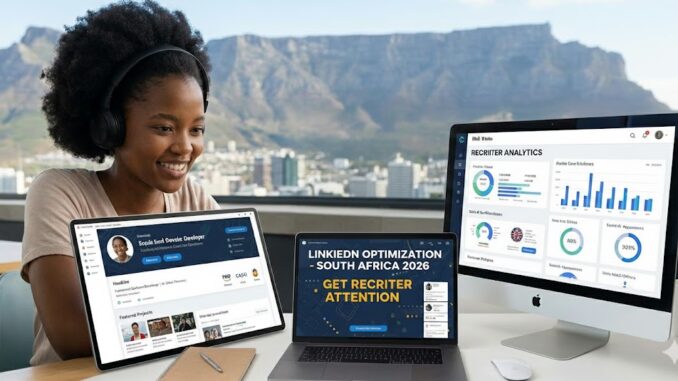
Your LinkedIn profile is more than just an online resume. It’s your professional storefront, your personal brand, and often the first impression you make on recruiters, hiring managers, and potential employers. In South Africa’s competitive job market, a well-optimized LinkedIn profile can be the difference between being overlooked and receiving multiple job offers.
Statistics show that 87% of recruiters use LinkedIn to find and vet candidates. Every week, thousands of job opportunities are filled through LinkedIn connections, direct messages from recruiters, and job applications. Yet most South African professionals drastically underutilize this powerful platform, missing out on career opportunities that could increase their salaries by 20% to 50% or more.
Whether you’re actively job hunting, open to new opportunities, or simply building your professional network, optimizing your LinkedIn profile is one of the highest-return investments you can make in your career. The good news? Most of your competition hasn’t done this work, which means a well-optimized profile will make you stand out immediately.
This comprehensive guide will show you exactly how to transform your LinkedIn profile from invisible to irresistible, attract recruiters in your industry, position yourself as an authority in your field, and leverage LinkedIn’s features to accelerate your career growth.
Why LinkedIn Optimization Matters for South African Professionals
Before diving into the tactics, understand why this matters specifically in the South African context:
Recruiter Behavior Has Changed
South African recruiters now spend 70% of their sourcing time on LinkedIn. They use Boolean searches, filters, and LinkedIn Recruiter tools to find candidates. If your profile doesn’t match their search criteria, you’re invisible regardless of your qualifications.
International Opportunities
With remote work becoming standard, South African professionals can now access global opportunities. International recruiters actively search LinkedIn for talent in emerging markets, but only if your profile signals the right expertise and professionalism.
Passive Candidate Advantage
The best opportunities often come to professionals who aren’t actively looking. Recruiters pay premium rates to find “passive candidates” on LinkedIn. A strong profile attracts opportunities even when you’re employed and content.
Network Effect Multiplier
In South Africa’s relatively small professional community, your LinkedIn network can open doors quickly. Being visible and well-connected creates opportunities through second and third-degree connections.
Skills Shortage Leverage
South Africa has critical skills shortages in technology, finance, engineering, and other fields. If you have in-demand skills, a strong LinkedIn presence allows recruiters to find you instead of you chasing opportunities.
The LinkedIn Profile Success Formula
A high-performing LinkedIn profile has seven critical components, each serving a specific purpose:
1. Profile Completeness (Visibility Foundation)
LinkedIn’s algorithm favors complete profiles. Profiles with all sections filled receive 21 times more views than incomplete ones. Complete profiles also appear higher in recruiter searches.
2. Keyword Optimization (Search Visibility)
LinkedIn operates like a search engine. Using the right keywords in the right places determines whether you appear when recruiters search for candidates in your field.
3. Value Proposition Clarity (Conversion)
Within seconds, visitors should understand what you do, who you help, and what makes you valuable. Clarity converts profile views into opportunities.
4. Social Proof (Credibility)
Recommendations, endorsements, and evidence of achievements build trust and credibility with recruiters and hiring managers.
5. Engagement Signals (Algorithm Boost)
LinkedIn rewards active users with greater visibility. Regular engagement amplifies your profile’s reach.
6. Professional Branding (Differentiation)
Your profile should communicate a clear professional identity that differentiates you from competitors in your field.
7. Call-to-Action Clarity (Opportunity Generation)
Your profile should make it obvious what you want (new role, consulting projects, partnerships) and make it easy for people to take action.
Step 1: Optimize Your Profile Photo and Banner
Your visual elements create the crucial first impression. Get these wrong and people won’t read further.
Profile Photo Best Practices
Technical Requirements:
- Minimum 400 x 400 pixels (LinkedIn recommendation)
- Your face should fill 60% of the frame
- High resolution, not pixelated
- Professional but approachable expression
- Appropriate for your industry
What Works:
- Professional headshot with neutral background
- Smiling or friendly expression (not stern)
- Business or business-casual attire
- Good lighting (face the light source)
- Recent photo that looks like you
What Doesn’t Work:
- Group photos or cropped wedding pictures
- Sunglasses or hats
- Heavily filtered or overly casual selfies
- Photos from 10 years ago
- Low-quality or blurry images
South African Context: LinkedIn is a professional platform globally. While you want to appear approachable, maintain professional standards. A quality headshot signals you take your career seriously.
Budget Options:
- Professional photographer: R1,500 – R5,000
- Ask a friend with a good camera and natural lighting
- Use a smartphone with portrait mode
- Natural outdoor lighting produces excellent results
Banner Image Strategy
Your banner (background photo) is prime real estate that most people waste. Use it strategically:
Option 1: Professional Brand Design Create a custom banner featuring:
- Your professional tagline or value proposition
- Your specialization or key skills
- Professional but eye-catching design
- Contact information or website
Option 2: Industry-Relevant Imagery Choose an image that represents your field:
- Developers: Code snippets, tech imagery
- Marketers: Analytics dashboards, campaigns
- Finance: Professional office environment, data
- Creative: Portfolio pieces, design work
Option 3: Keep It Simple A clean, professional image in your brand colors works well if you can’t create custom graphics.
Tools for Creating Banners:
- Canva (free templates available)
- Adobe Spark
- Photoshop or Illustrator (if you have design skills)
- Hire a designer on Fiverr (R150 – R800)
Dimensions: 1584 x 396 pixels
Step 2: Craft a Compelling Headline
Your headline appears everywhere on LinkedIn – in searches, comments, posts, and messages. It’s the second thing people see after your photo, and it’s searchable.
The Formula for an Effective Headline
Bad Headlines (Generic and Invisible):
- “Marketing Manager at ABC Company”
- “Experienced Software Developer”
- “Looking for new opportunities”
Good Headlines (Specific and Searchable):
- “Senior Full-Stack Developer | React, Node.js, Python | Building Scalable SaaS Applications”
- “Digital Marketing Strategist | SEO & Paid Ads | Helping E-commerce Brands Scale Revenue”
- “Chartered Accountant (SA) | Financial Strategy & Risk Management | Ex-KPMG”
The Winning Formula:
[Your Role/Title] | [Key Skills/Specialization] | [Value Proposition or Target Market]
Examples by Industry:
Technology: “DevOps Engineer | AWS, Docker, Kubernetes | CI/CD Pipeline Optimization for FinTech”
Finance: “Financial Analyst | FP&A, Budgeting, Forecasting | Data-Driven Financial Planning”
Marketing: “Content Marketing Manager | B2B SaaS | Converting Blog Traffic into MQLs”
Sales: “Enterprise Sales Executive | SaaS Solutions | R10M+ in Annual Revenue Generation”
Human Resources: “HR Business Partner | Talent Acquisition & Development | Building High-Performance Teams”
Headline Optimization Tips
Include Keywords: Research job descriptions in your target role. What terms appear repeatedly? Include those in your headline.
Show Specialization: Rather than “Marketing Manager,” specify “Performance Marketing Manager” or “B2B Content Marketing Manager.”
Use Industry Acronyms Appropriately: If your industry uses them (SaaS, FinTech, FMCG), include them for searchability.
Update for Job Search: If actively looking, add “Open to New Opportunities” or “Available for Immediate Start.”
For Remote Work: Include “Remote” or “Open to Remote Opportunities” if relevant.
Character Limit: 220 characters maximum. Use them all strategically.
Step 3: Write an About Section That Converts
Your About section (formerly Summary) is where you tell your professional story and convince readers to reach out. Most people get this completely wrong.
The Proven About Section Structure
Opening Hook (1-2 sentences): Start with something that grabs attention – a surprising statistic, bold claim, or compelling statement about what you do.
Example: “In the past three years, I’ve helped 15 South African e-commerce brands increase their online revenue by an average of 140% through data-driven digital marketing strategies.”
What You Do (1 paragraph): Clearly explain your role, specialization, and who you help. Be specific, not generic.
Example: “I’m a digital marketing strategist specializing in performance marketing for e-commerce brands. I help businesses scale their online revenue through strategic SEO, paid advertising, and conversion rate optimization.”
How You Do It (1 paragraph): Explain your approach, methodology, or unique process. This differentiates you.
Example: “My approach combines technical SEO expertise with creative content strategies and data analytics. I don’t just drive traffic—I focus on attracting the right audience and converting them into paying customers through optimized user journeys.”
Proof and Credentials (1 paragraph): Share relevant achievements, certifications, experience, or results. Use numbers where possible.
Example: “With a Google Ads certification and five years of experience managing R15M+ in ad spend, I’ve delivered results for companies ranging from startups to established retail brands. My campaigns consistently achieve ROAS (Return on Ad Spend) of 4:1 or higher.”
Call to Action (1-2 sentences): Tell readers what you want and how to reach you.
Example: “I’m currently open to performance marketing roles with growth-focused e-commerce companies. Feel free to connect or message me directly to discuss how I can help scale your online business.”
About Section Best Practices
Write in First Person: “I help…” not “John helps…” – it’s more personal and engaging.
Use Short Paragraphs: Break text into digestible chunks. Wall of text kills engagement.
Include Keywords Naturally: Sprinkle relevant keywords throughout for search visibility.
Show Personality: Be professional but let your personality show. This isn’t a CV.
Update for Your Goal: Customize based on whether you’re job hunting, networking, or building authority.
Add Rich Media: Include presentations, articles, videos, or portfolios in the featured section.
Optimize Length: 1,300-2,000 characters is ideal. Long enough to be comprehensive, short enough to be read.
Step 4: Optimize Your Experience Section
Your experience section should do more than list job duties – it should prove your value and include searchable keywords.
How to Write Each Position
Job Title: Use standard industry titles that recruiters search for, not internal company jargon. If your official title is unclear, use the standard version.
Company Name: Include the company. If it’s not well-known, add a brief descriptor:
- “ABC Tech (FinTech Startup)”
- “XYZ Retail (Major SA Fashion Chain)”
Duration: Accurate start and end dates. No gaps or overlaps.
Description Structure:
Opening Statement (1 sentence): Context about your role and responsibilities.
Example: “Led digital marketing initiatives for a R50M e-commerce fashion retailer with 150,000+ monthly website visitors.”
Bullet Points (3-5 key achievements): Focus on accomplishments with metrics, not just duties.
Bad Bullet Points:
- Responsible for managing social media accounts
- Worked on marketing campaigns
- Assisted with SEO optimization
Good Bullet Points:
- Grew Instagram following from 12K to 95K in 18 months, increasing engagement rate by 340%
- Managed R2.4M annual digital advertising budget across Google Ads and Facebook, achieving average ROAS of 5.2:1
- Implemented SEO strategy that increased organic traffic by 180% and improved keyword rankings for 47 target terms
- Led website redesign project that decreased bounce rate by 35% and increased conversion rate by 22%
Achievement Bullet Formula
Use the CAR method (Challenge, Action, Result):
Example: “When organic traffic plateaued at 40K monthly visits (Challenge), I conducted a comprehensive SEO audit and content gap analysis (Action), resulting in a 180% traffic increase to 112K monthly visits within 8 months (Result).”
Keywords in Experience
Include:
- Technical skills and tools used
- Industry-specific terminology
- Certifications applied
- Methodologies followed
- Technologies implemented
Example: “Managed social media marketing campaigns using Hootsuite and Sprout Social, executing content strategies across Instagram, Facebook, LinkedIn, and TikTok while analyzing performance through Google Analytics and native platform insights.”
This naturally includes searchable keywords: social media marketing, Hootsuite, Sprout Social, Instagram, Facebook, LinkedIn, TikTok, Google Analytics.
Step 5: Skills and Endorsements Strategy
LinkedIn allows you to list up to 50 skills. The top 3 appear prominently on your profile and carry the most weight.
Choosing Your Top 3 Skills
Selection Criteria:
- Most relevant to your target role
- Most searched by recruiters in your field
- Skills you genuinely possess and can discuss
Examples by Role:
Software Developer:
- JavaScript / Python / Java (your primary language)
- React / Angular / Vue (your framework)
- Full-Stack Development / Back-End Development
Digital Marketer:
- Digital Marketing
- Search Engine Optimization (SEO)
- Google Ads / Facebook Advertising
Financial Analyst:
- Financial Analysis
- Financial Modeling
- Data Analysis
Research What to Include:
- Check job descriptions for your target role
- See what skills competitors list
- Use LinkedIn’s skill suggestions
- Include both broad and specific skills
Skills Organization Strategy
Category 1: Core Skills (Top 10) Your primary expertise that defines your role.
Category 2: Supporting Skills (Next 20) Complementary skills that add value.
Category 3: Tools and Technologies (Remaining 20) Specific software, platforms, and tools you use.
Getting Endorsements
How to Get Them:
- Endorse others (they often reciprocate)
- Ask colleagues and managers directly
- Ensure your top skills reflect your actual expertise
- Remove irrelevant or outdated skills
Quality vs. Quantity: 50 endorsements from random connections mean less than 5 from credible colleagues in your field. Focus on quality.
Step 6: Recommendations – The Social Proof Multiplier
Recommendations are testimonials from colleagues, managers, clients, or partners. They provide powerful social proof.
Why Recommendations Matter
Credibility: Third-party validation of your abilities carries more weight than self-promotion.
Search Visibility: Recommendations containing keywords improve your profile’s searchability.
Conversion: Profiles with recommendations convert more profile views into connection requests and opportunities.
Differentiation: Most profiles have few or no recommendations, so having several makes you stand out.
How to Get Powerful Recommendations
Who to Ask:
- Former managers (most valuable)
- Direct reports (shows leadership)
- Colleagues on successful projects
- Clients (especially for consultants/freelancers)
- University professors (for recent graduates)
When to Ask:
- After completing a successful project
- Before leaving a job (while relationship is fresh)
- When you give someone a recommendation
- During performance review cycles
How to Ask:
Bad Request: “Hey, can you write me a LinkedIn recommendation?”
Good Request: “Hi [Name], I really valued working with you on the [Project Name]. I’m updating my LinkedIn profile and would appreciate a recommendation highlighting my work on [specific aspect]. Would you be comfortable writing one? I’m happy to draft something you can edit if that helps. I’d also be glad to write one for you.”
Making It Easy for Them
Provide Context:
- Specific projects you worked on together
- Results you achieved
- Skills you demonstrated
- What you’d like them to emphasize
Draft Option: Offer to draft something they can edit and approve. Many busy people appreciate this.
Target Number
Minimum: 3-5 recommendations Ideal: 7-10 recommendations from diverse sources Excellent: 10+ with mix of managers, colleagues, clients
Recommendation Quality Matters
What Makes a Great Recommendation:
- Specific examples and outcomes
- Mentions measurable results
- Highlights unique strengths
- Written by someone credible
- Recent (within last 2-3 years)
Less Valuable:
- Generic praise without specifics
- From people you never worked closely with
- Very brief (1-2 sentences)
- Outdated (5+ years old)
Step 7: Education and Certifications
These sections establish credibility and improve search visibility.
Education Section
Include:
- All degrees (even if unrelated to current career)
- Relevant coursework or specializations
- Notable achievements (cum laude, Dean’s list)
- GPA if impressive (above 3.5/4.0 or equivalent)
For Recent Graduates: Include:
- Thesis or major projects
- Leadership positions in student organizations
- Relevant extracurricular activities
- Academic awards
For Experienced Professionals: Keep it simple:
- Degree, institution, year
- Don’t elaborate unless from prestigious institution
Licenses and Certifications
This section is crucial for professional credibility and search visibility.
What to Include:
- Professional certifications (CFA, CA(SA), PMP)
- Industry certifications (AWS, Google Ads, HubSpot)
- Online course completion (Coursera, Udemy, LinkedIn Learning)
- Software proficiencies (Microsoft, Adobe)
How to List:
- Include issuing organization
- Add credential ID if available
- Include expiration date if applicable
- Link to credential verification when possible
Priority Order: List most prestigious and relevant certifications first. They appear on your main profile in order listed.
Examples:
For Developers:
- AWS Certified Solutions Architect
- Google Cloud Professional
- Oracle Certified Java Programmer
For Marketers:
- Google Ads Certification
- HubSpot Inbound Certification
- Facebook Blueprint Certification
For Finance Professionals:
- CFA Level I, II, or III
- CIMA qualification
- Financial Modeling & Valuation Analyst (FMVA)
Step 8: Activity and Engagement Strategy
LinkedIn is a social platform. Profiles that post and engage receive 5-10 times more visibility than passive profiles.
Content Strategy
What to Post:
Industry Insights: Share your perspective on industry trends, news, or developments.
Professional Wins: Celebrate achievements, project completions, certifications earned (without bragging).
Helpful Content: Tips, how-tos, lessons learned that help your network.
Curated Content: Share relevant articles with your perspective added.
Career Journey: Milestones, transitions, learning experiences (authentic storytelling).
Posting Frequency
Minimum: 1-2 posts per month (stay visible) Recommended: 1-2 posts per week (build authority) Active: 3-5 posts per week (maximize visibility)
Engagement is More Important Than Posting: Commenting thoughtfully on others’ posts can be more valuable than creating your own content.
Engagement Best Practices
Comment Meaningfully:
- Add value, don’t just say “Great post!”
- Share your experience or ask questions
- Tag relevant people when appropriate
- Aim for 5-10 thoughtful comments weekly
Build Relationships:
- Respond to comments on your posts
- Thank people for engaging
- Continue conversations in DMs when appropriate
Follow Relevant People:
- Industry leaders
- Recruiters in your field
- People at companies you admire
- Influencers in your niche
Content That Performs Well
Personal Stories: Authentic experiences and lessons learned get high engagement.
Lists and Tips: “5 ways to…” or “Top 10…” posts perform consistently well.
Ask Questions: “What’s your biggest challenge with [topic]?” sparks discussions.
Industry Opinions: Take a stance (professionally) on industry debates or trends.
Behind-the-Scenes: Give glimpse into your work, process, or projects.
Step 9: Strategic Networking
Your network determines your access to opportunities. Build it intentionally.
Who to Connect With
Prioritize:
- Colleagues (current and former)
- Industry peers in your field
- Recruiters specializing in your sector
- People at companies you’d like to work for
- Alumni from your university
- People who engage with your content
- Second-degree connections who could provide value
Avoid:
- Connecting with everyone indiscriminately
- Accepting connections from obvious spam accounts
- Connecting without any context or relationship
Connection Request Strategy
Personalize Every Request:
Bad: “I’d like to add you to my professional network.”
Good: “Hi [Name], I noticed we both work in digital marketing in Johannesburg. I’ve been following your posts on SEO strategy and would love to connect and learn from your insights.”
Even Better: “Hi [Name], I saw your excellent article on LinkedIn about conversion rate optimization. As a fellow marketing professional working in e-commerce, I’d love to connect and possibly exchange ideas on improving checkout flows. Looking forward to connecting!”
Network Building Tactics
Engage Before Connecting: Comment on their posts 2-3 times before sending a connection request. They’ll recognize your name.
Alumni Connections: Leverage your university network. Alumni are generally receptive to connecting.
Event Attendees: After attending virtual or in-person events, connect with speakers and attendees.
Mutual Connection Path: When connecting with someone, mention mutual connections if relevant.
Join Relevant Groups: Participate in LinkedIn Groups in your industry. Connect with active members.
Network Size Goals
500+ Connections: LinkedIn displays “500+” rather than exact number once you hit 500. This signals credibility and well-connectedness.
Quality Over Quantity: 1,000 relevant connections are worth more than 5,000 random connections.
Growth Rate: Add 20-50 relevant connections monthly for steady, sustainable growth.
Step 10: Job Search Features and Settings
LinkedIn offers specific features for active job seekers.
Open to Work Feature
How to Activate: Profile → Open to → Finding a new job
Settings:
- Choose job titles you’re interested in
- Select locations (include Remote if applicable)
- Set employment type (full-time, contract, etc.)
- Choose who can see you’re open (all LinkedIn members or only recruiters)
Visibility Options:
Public: Green “Open to Work” frame appears on your profile photo. Everyone sees you’re job hunting, including current employer.
Recruiters Only: Signal appears only to recruiters using LinkedIn Recruiter. Current employer won’t see it (unless they’re using Recruiter for some reason).
Strategic Consideration: If currently employed, use “Recruiters Only” to avoid alerting your current employer.
Job Alerts
Set up alerts for:
- Specific job titles
- Companies you’re interested in
- Locations (including remote)
- Experience level
Frequency: Daily or weekly depending on urgency
Easy Apply
Many jobs allow one-click applications using your LinkedIn profile.
Pros:
- Quick application process
- Easy to apply to many positions
Cons:
- Less personalization
- Lower application quality
- Higher competition (everyone can apply easily)
Best Practice: Use Easy Apply for initial applications, but follow up with customized applications for roles you really want.
Company Following
Follow companies you’re interested in:
- See their updates and job postings
- Shows up in “How you’re connected” when you apply
- Helps you comment on their posts (increases visibility)
Step 11: Profile Settings and Privacy
Optimize your settings for maximum opportunity.
Important Settings to Configure
Public Profile URL: Customize your LinkedIn URL to: linkedin.com/in/yourname This looks professional on resumes and business cards.
Profile Visibility: Ensure your profile is public so recruiters can find you.
Activity Broadcasts: Consider turning OFF when making major profile edits so you don’t spam your network with update notifications.
Who Can See Your Email: Set to “Your connections” or “Everyone” depending on how accessible you want to be.
Profile Viewing Options: Choose “Public” so people know when you view their profile (builds reciprocity) OR “Private” for stealth research.
Follower Settings: Allow people to follow you without connecting. This expands your content’s reach.
Step 12: Advanced Optimization Tactics
Take your profile to the next level with these advanced strategies.
Featured Section
Showcase your best work, articles, presentations, or media mentions.
What to Feature:
- Portfolio pieces or case studies
- Published articles or blog posts
- Presentations from conferences
- Media mentions or interviews
- Certifications or awards
- Video introductions
How to Use It: This section appears prominently on your profile. Use it to immediately showcase your expertise and credibility.
Creator Mode
Activate Creator Mode to:
- Make “Follow” more prominent than “Connect”
- Show followers count instead of connections
- Add custom topics (up to 5 hashtags defining your expertise)
- Access creator analytics
- Use LinkedIn Live and newsletters
When to Use: If you’re regularly creating content and building thought leadership, Creator Mode amplifies your reach.
LinkedIn Articles
Publishing long-form articles on LinkedIn:
- Demonstrates expertise
- Improves SEO for your name
- Builds authority in your field
- Generates engagement and visibility
Article Ideas:
- How-to guides in your specialty
- Industry trend analysis
- Case studies from your work
- Career advice and lessons learned
Video Content
Video posts get 5x more engagement than text posts on LinkedIn.
Video Ideas:
- Quick tips in your field
- Industry commentary
- Behind-the-scenes of your work
- Professional insights
- Company culture (if job searching, show your values)
Newsletter Feature
Start a LinkedIn newsletter to:
- Build an audience of subscribers
- Consistent visibility in subscribers’ feeds
- Establish thought leadership
- Generate inbound opportunities
Success Requirements:
- Consistent publishing (weekly or bi-weekly)
- High-quality, valuable content
- Clear niche or focus area
Common LinkedIn Mistakes to Avoid
Learn from others’ errors:
Incomplete Profile: Missing sections reduce your search visibility dramatically.
Generic, Boring Content: Copy-pasted job descriptions instead of achievement-focused descriptions.
No Activity: Never posting or engaging makes you invisible.
Desperate Job Seeking: Posts like “I’m looking for a job, please help!” damage your brand.
Oversharing Personal Life: LinkedIn is professional. Keep personal content minimal.
Connecting Without Context: Generic connection requests get ignored or rejected.
Ignoring Messages: Not responding to messages ruins opportunities and relationships.
Outdated Information: Profile showing you left your last job 2 years ago when you’re currently employed elsewhere.
Irrelevant Hashtags: Using trending hashtags unrelated to your content for visibility.
Engagement Spam: Commenting “Great post!” on everything without adding value.
Measuring Your LinkedIn Success
Track these metrics to gauge your optimization efforts:
Profile Views
What It Means: How many people viewed your profile in the past 90 days.
Benchmark:
- Poor: Under 50 views/90 days
- Average: 50-200 views/90 days
- Good: 200-500 views/90 days
- Excellent: 500+ views/90 days
How to Improve: Post more content, engage actively, optimize for search keywords.
Search Appearances
What It Means: How often you appeared in LinkedIn searches.
Benchmark: Should increase week-over-week as you optimize.
How to Improve: Add keywords, complete all sections, get endorsements and recommendations.
Post Engagement
What It Means: Likes, comments, shares on your content.
Benchmark:
- Average: 50-100 impressions per post
- Good: 100-500 impressions per post
- Excellent: 500+ impressions per post
How to Improve: Post consistently, use hashtags, engage with others’ content, post when your audience is active.
Inbound Messages
What It Means: Recruiter inquiries, networking requests, opportunity messages.
Benchmark: 1-5 quality inbound messages monthly indicates good optimization.
How to Improve: Make your value proposition clear, use “Open to Work” strategically, engage in your industry.
Your 30-Day LinkedIn Optimization Action Plan
Follow this daily plan to transform your profile:
Week 1: Foundation
- Day 1: Update profile photo and banner
- Day 2: Rewrite headline using the formula
- Day 3-4: Write compelling About section
- Day 5: Optimize top 3 positions in Experience
- Day 6: Add/update Skills (top 10)
- Day 7: Add 3-5 certifications
Week 2: Content and Proof
- Day 8-9: Request 3 recommendations
- Day 10: Add Featured section content
- Day 11: Write and publish first LinkedIn article
- Day 12: Optimize remaining Experience sections
- Day 13: Update Education section
- Day 14: Review and customize public profile URL
Week 3: Networking
- Day 15-17: Send 30 personalized connection requests (10/day)
- Day 18-19: Engage with 20 posts (comment meaningfully)
- Day 20: Join 3-5 relevant LinkedIn Groups
- Day 21: Follow 20 companies and influencers in your field
Week 4: Activity and Fine-Tuning
- Day 22-24: Post original content (3 posts)
- Day 25: Share and comment on industry articles
- Day 26: Review profile analytics and identify gaps
- Day 27: Fine-tune keywords based on search appearances
- Day 28: Request endorsements for top skills
- Day 29: Set up job alerts and “Open to Work”
- Day 30: Engage with your network’s content
Ongoing:
- Post 1-2 times weekly
- Engage with content daily (5-10 minutes)
- Send 5-10 connection requests weekly
- Update achievements monthly
- Request recommendations after major projects
Final Thoughts
LinkedIn optimization isn’t a one-time task but an ongoing investment in your professional brand and career. The difference between an average LinkedIn profile and an optimized one can literally be worth hundreds of thousands of rands over your career.
The beauty of LinkedIn is that most of your competition isn’t doing this work. By implementing even half of what’s in this guide, you’ll stand out dramatically in recruiter searches and attract opportunities that others miss.
Start today with the highest-impact changes: update your profile photo, rewrite your headline, and optimize your About section. These three changes alone will transform how you appear to recruiters and your network.
Remember, LinkedIn is not just for job searching. It’s a platform for:
- Building professional relationships
- Establishing thought leadership
- Discovering opportunities
- Learning from industry peers
- Advancing your career trajectory
Every connection you make, every post you publish, and every recommendation you receive compounds over time. The professionals who invest consistently in their LinkedIn presence create opportunities that seem to “just happen” to them.
Your optimized LinkedIn profile is working for you 24/7, attracting opportunities even while you sleep. Make it count.
Ready to transform your LinkedIn profile? Start with your headline today, and share your before and after in the comments! What aspect of LinkedIn optimization do you find most challenging?
Leave a Reply